Artificial Intelligence (AI) has transformed the creative landscape and helped the rise of AI image generators. These AI tools use machine learning, like Generative Adversarial Networks (GANs) and diffusion models to create stunning visuals from simple text prompts, sketches, or existing photos.
From artists and designers to marketers and educators, AI image generation is opening new ways to visualize ideas, tell stories, and automate content creation.
But with dozens of platforms available, how do you choose the best one?
Here are the top AI image generators you need to know.
Best AI Image Generators (AI Tech for Images)
- Midjourney
Midjourney is a popular AI image generator with a unique stylized output. Hosted on Discord, it offers a collaborative and community-driven experience, making it famous among digital artists, graphic designers, and concept creators.
Features:
Highly detailed and imaginative artwork
Consistent visual style with rich textures and lighting
Prompt engineering flexibility
Styles range from cyberpunk and sci-fi to Renaissance and anime.
Pros:
Excellent for creative exploration
Active community and support
Cons:
Requires Discord usage (not a standalone app)
Subscription-based (a limited free trial)
- DALL·E 3 by OpenAI (via ChatGPT or API)
OpenAI’s DALL·E 3, when integrated into ChatGPT Plus, offers a user-friendly and highly responsive image creation experience. It can understand complex prompts with multiple elements or abstract ideas.

Features:
Native integration with ChatGPT (via GPT-4-turbo)
Outpainting, inpainting, and style transfer tools
High accuracy on text prompts
Safe generation filters to avoid harmful content.
Pros:
Excellent prompt-to-image fidelity
Easy to iterate or make edits within ChatGPT
API available for developers
Cons:
Less customizable than Midjourney
Limited style consistency across multiple images
- Stable Diffusion (open-source)
Stable Diffusion is the best solution for tech-savvy users who want full control over the AI image generation process. As an open-source diffusion model, it can be run locally or via cloud-based platforms.
Features:
Open-source and modifiable
Community of developers and artists
Supports custom models, ControlNet, LoRA, and textual inversion
Popular GUIs include AUTOMATIC1111 WebUI and InvokeAI.
Pros:
Total control over the generation process
Large ecosystem of models and styles
Can run offline
Cons:
Technical setup required for local installs
Steeper learning curve than plug-and-play platforms
- Adobe Firefly
Adobe Firefly brings AI image generation directly into the Adobe Creative Cloud suite. With its integration into Photoshop and Illustrator, it’s ideal for professional designers looking to enhance their existing workflows using AI.
Features:
Generative Fill in Photoshop for inpainting and background editing
Vector-style output in Illustrator
Commercial-use-ready images (trained on licensed Adobe stock content)
High prompt accuracy
Pros:
Seamless workflow for Adobe users
Commercially safe content generation
Supports text effects and image editing
Cons:
Limited model creativity compared to Midjourney
Only available to Creative Cloud subscribers
- Runway ML
Runway is famous for video generation (especially Gen-2), and it also has image generation capabilities. Runway blends AI art with video editing tools, making it the top option for creators who need images and motion graphics.
Features:
Text-to-image and image-to-image tools
Gen-2 text-to-video capabilities
Multi-modal editing (audio, video, image)
Browser-based studio interface
Pros:
Great for creative professionals producing dynamic content
Regularly updated with new AI models
Powerful editing and collaboration tools
Cons:
Image quality is not as high as DALL·E
The pay-per-use credit model can be expensive
- Canva AI Image Generator
Canva’s built-in AI image generator is perfect for users who want quick, usable visuals without artistic control. It’s designed for marketers, social media managers, and educators who need images fast.
Features:
Direct integration with Canva’s drag-and-drop editor
Pre-set styles and formats (posters, social media, presentations)
Simple and clean UI
Great for non-technical users
Pros:
Fast and easy for beginners
Integrated with Canva’s full design suite
No need for external tools or technical setup
Cons:
Less creative flexibility than standalone generators
Lower image resolution and detail
- Fotor AI Art Generator
Fotor offers a straightforward AI image generation experience. Users can create portraits, landscapes, and stylized images with just a few clicks. It’s designed for ease of use and supports features like photo enhancement and background removal.
Features:
Pre-trained models for different art styles
AI-powered photo editing tools
Image-to-image transformation
Batch processing options
Pros:
Simple and beginner-friendly
Good for basic content needs and photo editing
Fast image generation
Cons:
Limited prompt flexibility
Style variety is more constrained.
The Future of AI Image Generation
AI image generators are becoming faster, smarter, and more nuanced. You can expect better consistency across generated images, support for 3D models and video, and integration into tools like Word, PowerPoint, and mobile apps.
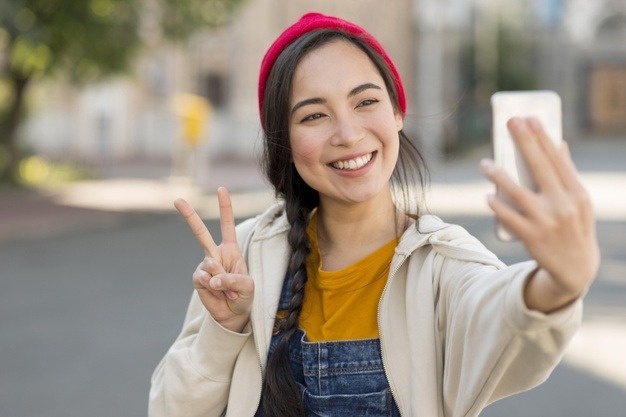
Reputable platforms will provide content provenance (like watermarking and metadata) to address deepfake concerns and ensure trust in generated media.
AI image generators have transformed how we create, design, and communicate visually.
Test these AI image generators and choose the best for your business or design development.
AI image generators will affect the future of designers, brands, and artists.
AI Tools for You
https://www.bestprofitsonline.com/myblog/newai
Pro Tip
Top Video AI Tool – Create Viral Short Video